
Talend has been a dominant force in the enterprise ETL landscape for over a decade. Thousands of organizations built mission-critical data pipelines using Talend Open Studio and Talend Cloud, relying on its visual job designer, tMap component, and Java-based execution model. But the landscape shifted dramatically when Qlik acquired Talend in 2023 for $800 million, creating immediate uncertainty around licensing, product roadmap, and long-term support. For enterprises evaluating their data platform strategy, the question is no longer whether to modernize away from Talend, but where to land and how to execute the migration effectively.
Google BigQuery has emerged as a compelling migration target for Talend workloads. BigQuery's serverless architecture eliminates the infrastructure management burden that Talend clusters require, its native SQL engine handles transformation logic that Talend implements through visual components, and its ecosystem of Dataform, Cloud Composer, and Cloud Storage provides a modern replacement for every layer of the Talend stack. This guide provides a comprehensive technical roadmap for migrating Talend Studio jobs to BigQuery, covering architecture mapping, component-by-component translation, code examples, and how MigryX automates the heavy lifting.
Why Talend Teams Are Moving to BigQuery
The Qlik Acquisition and Licensing Uncertainty
When Qlik completed its acquisition of Talend, the immediate impact was a wave of confusion across Talend's customer base. Qlik's primary business is analytics and visualization, not ETL orchestration, raising legitimate questions about the long-term investment in Talend's data integration products. Enterprises with hundreds of Talend jobs suddenly faced a strategic decision: continue investing in a platform whose future is tied to an acquirer with different priorities, or use this inflection point to modernize toward a cloud-native architecture.
Licensing changes compounded the concern. Talend Open Studio's community edition had already been deprecated, pushing users toward commercial licenses. Under Qlik's umbrella, pricing models evolved again, and many organizations found their renewal costs increasing significantly. For organizations running Talend on-premises with dedicated JobServers, the total cost of ownership included not just licensing but also the compute infrastructure, Java runtime maintenance, and operational overhead of managing a self-hosted ETL platform.
The Serverless Appeal of BigQuery
BigQuery offers a fundamentally different operating model. There are no clusters to provision, no JobServers to maintain, and no Java runtime environments to patch. BigQuery's serverless compute model means that transformation workloads scale automatically based on query complexity and data volume. Organizations pay for the bytes processed or reserve flat-rate slots, but in neither case do they manage infrastructure. For Talend teams spending significant engineering hours on infrastructure operations, BigQuery's managed model frees those resources for higher-value data engineering work.
BigQuery's columnar storage engine is optimized for analytical workloads in ways that Talend's row-based Java processing cannot match. A Talend job that reads from a database, applies transformations in memory, and writes to another database moves data through a bottleneck: the JobServer's JVM heap. BigQuery eliminates this bottleneck entirely. Transformations execute within BigQuery's distributed SQL engine, operating directly on columnar data without intermediate data movement.
Dataform as the Transformation Layer
Dataform, acquired by Google and integrated natively into BigQuery, provides the transformation orchestration layer that replaces Talend's job designer. Dataform uses SQLX files, which are standard SQL with Jinja-like templating, dependency declarations, and built-in testing assertions. Where Talend expresses transformations through visual drag-and-drop components, Dataform expresses them as modular, version-controlled SQL models. This shift from visual-component-based development to SQL-first development aligns with modern data engineering practices and makes transformation logic more transparent, testable, and reviewable.

Talend to BigQuery migration — automated end-to-end by MigryX
Architecture Comparison: Talend vs. BigQuery Stack
Understanding how Talend's architecture maps to BigQuery's ecosystem is essential for planning the migration. Talend's stack consists of several layers: the Studio IDE for job design, the JobServer for execution, context variables for environment configuration, and the metadata repository for connection definitions. Each layer has a direct counterpart in the BigQuery ecosystem.
Talend Studio serves as both the development environment and the visual designer where jobs are assembled from components connected by data flows. In the BigQuery world, Dataform's web IDE and CLI replace this function. Instead of dragging tMap and tFilterRow components onto a canvas, developers write SQLX models that express the same transformations in SQL. The visual component graph becomes a dependency graph defined through ref() declarations in SQLX files.
Talend's JobServer, the Java runtime that executes compiled jobs, is replaced entirely by BigQuery's serverless compute engine and Cloud Composer for orchestration. Where the JobServer requires provisioning, memory tuning, and monitoring, BigQuery's execution environment is fully managed. Cloud Composer, built on Apache Airflow, handles the scheduling and dependency management that Talend's Scheduler or TAC (Talend Administration Center) provided.
Context variables in Talend, which parameterize jobs for different environments (dev, staging, production), map to Dataform's compilation variables and environment configurations. A Talend job that uses context.database_host to switch between development and production databases becomes a Dataform project that uses dataform.projectConfig.vars to control dataset names and table references across environments.
MigryX: Purpose-Built Parsers for Every Legacy Technology
MigryX does not rely on generic text matching or regex-based parsing. For every supported legacy technology, MigryX has built a dedicated Abstract Syntax Tree (AST) parser that understands the full grammar and semantics of that platform. This means MigryX captures not just what the code does, but why — understanding implicit behaviors, default settings, and platform-specific quirks that generic tools miss entirely.
Component-by-Component Mapping Table
The following table provides the definitive mapping between Talend components and their BigQuery equivalents. This mapping forms the foundation of any Talend-to-BigQuery migration strategy.
| Talend Component | BigQuery / Dataform Equivalent | Notes |
|---|---|---|
| tMap | BigQuery JOIN + CASE expressions | tMap lookups become LEFT/INNER JOINs; expression filters become CASE WHEN |
| tFilterRow | WHERE clause | Filter conditions translate directly to SQL predicates |
| tAggregateRow | GROUP BY with aggregate functions | SUM, COUNT, AVG, MIN, MAX map one-to-one |
| tSortRow | ORDER BY clause | Sort criteria become ORDER BY columns with ASC/DESC |
| tUnite | UNION ALL | Schema alignment must be validated during conversion |
| tJoin (inner/outer) | JOIN (INNER/LEFT/RIGHT/FULL) | Join type and key columns map directly |
| tFileInputDelimited | GCS + BigQuery external table or LOAD | Files staged in GCS; loaded via bq load or external tables |
| tFileOutputDelimited | BigQuery EXPORT DATA to GCS | EXPORT DATA statement writes to GCS in CSV/Parquet/JSON |
| tDBInput | BigQuery source table or federated query | Direct table reference or BigQuery Connection API for external DBs |
| tDBOutput | BigQuery table write (INSERT/MERGE) | Output operations become INSERT INTO or MERGE statements |
| Context variables | Dataform compilation variables | Environment-specific configuration via dataform.json vars |
| Job | Dataform SQLX model | Each job becomes one or more SQLX transformation models |
| Joblet | Dataform macro / JavaScript include | Reusable logic becomes Dataform macros or JS functions |
| Subjob | Cloud Composer task | Subjob orchestration becomes Airflow task dependencies |
| tLogRow | BigQuery audit table / Cloud Logging | Logging rows are written to audit tables or streamed to Cloud Logging |
| tFlowToIterate | Dataform forEach / Composer dynamic tasks | Iteration patterns become parameterized SQL or dynamic DAG generation |
| tJavaRow | BigQuery UDF (SQL or JavaScript) | Custom Java logic becomes BigQuery user-defined functions |
| tNormalize / tDenormalize | UNNEST / ARRAY_AGG | BigQuery's nested and repeated fields handle normalization natively |
| tReplicate | Multiple INSERT INTO / Dataform models | Data replication becomes multiple downstream models referencing same source |
| tUniqRow | DISTINCT / ROW_NUMBER() QUALIFY | Deduplication uses QUALIFY ROW_NUMBER() OVER (...) = 1 |
Parsing Talend .item Files
Talend stores job definitions as XML-based .item files within the workspace directory structure. Each job consists of a .item file containing the component graph, a .properties file with metadata, and a .screenshot file with the visual layout. Understanding the .item file format is critical for automated migration because it encodes every component's configuration, connections between components, and the data schema at each stage of the pipeline.
A typical Talend .item file is structured as a serialized EMF (Eclipse Modeling Framework) model. The root element is a TalendFile:ProcessType that contains node elements for each component and connection elements for each data flow link. Each node has an elementParameter list that encodes the component's configuration: column mappings in tMap, filter expressions in tFilterRow, aggregation definitions in tAggregateRow, and connection strings in tDBInput.
The tMap component is the most complex to parse. Its configuration is stored as a nested XML structure within the nodeData element, containing inputTables, outputTables, varTables, and expression definitions. Each input table defines lookup join keys, each output table defines output column expressions, and the variable table holds intermediate calculations. Parsing this structure requires understanding Talend's expression language, which uses Java syntax for string manipulation, type casting, and conditional logic.
Example: tMap XML to BigQuery SQL
Consider a Talend tMap that joins a customer table with an orders table, filters for active customers, and calculates a total order amount. The tMap XML configuration might look like this (simplified):
<nodeData>
  <inputTables name="customers" sizeState="INTERMEDIATE"
    matchingMode="ALL_MATCHES" lookupMode="LOAD_ONCE">
    <mapperTableEntries name="customer_id" expression="row1.customer_id"
      type="id_Integer" />
    <mapperTableEntries name="customer_name" expression="row1.customer_name"
      type="id_String" />
    <mapperTableEntries name="is_active" expression="row1.is_active"
      type="id_Boolean" />
  </inputTables>
  <inputTables name="orders" sizeState="INTERMEDIATE"
    matchingMode="ALL_MATCHES" lookupMode="LOAD_ONCE"
    joinType="INNER_JOIN" joinKey="customer_id">
    <mapperTableEntries name="order_id" expression="lookup.order_id"
      type="id_Integer" />
    <mapperTableEntries name="amount" expression="lookup.amount"
      type="id_Double" />
  </inputTables>
  <outputTables name="out1">
    <mapperTableEntries name="customer_name"
      expression="customers.customer_name" />
    <mapperTableEntries name="total_amount"
      expression="orders.amount" />
    <filterEntries expression="customers.is_active == true" />
  </outputTables>
</nodeData>
This tMap configuration translates to the following BigQuery SQL, expressed as a Dataform SQLX model:
-- models/customer_order_totals.sqlx
config {
  type: "table",
  schema: "analytics",
  description: "Customer order totals - migrated from Talend job J_CustomerOrders"
}

SELECT
  c.customer_name,
  SUM(o.amount) AS total_amount
FROM
  ${ref("stg_customers")} AS c
INNER JOIN
  ${ref("stg_orders")} AS o
  ON c.customer_id = o.customer_id
WHERE
  c.is_active = TRUE
GROUP BY
  c.customer_name
Translating Context Variables to Dataform Variables
Talend context variables are one of the most powerful features for environment management. A single job can be deployed across development, staging, and production environments by switching context groups. Each context group defines a set of variable values, such as database connection strings, file paths, and business logic thresholds. Migrating this pattern to BigQuery requires mapping context variables to Dataform's compilation variables and Cloud Composer's Airflow variables.
In Talend, a context variable might be defined as:
// Talend Context Variables
context.source_schema = "raw_data"
context.target_schema = "analytics"
context.batch_date = "2026-04-08"
context.threshold_amount = 1000.00
In Dataform, these become compilation variables defined in dataform.json:
{
  "defaultSchema": "analytics",
  "assertionSchema": "analytics_assertions",
  "warehouse": "bigquery",
  "defaultDatabase": "my-gcp-project",
  "vars": {
    "source_schema": "raw_data",
    "target_schema": "analytics",
    "batch_date": "2026-04-08",
    "threshold_amount": "1000.00"
  }
}
SQLX models reference these variables using the dataform.projectConfig.vars object:
-- models/filtered_transactions.sqlx
config {
  type: "table",
  schema: dataform.projectConfig.vars.target_schema
}

SELECT *
FROM ${ref("raw_transactions")}
WHERE
  transaction_date = DATE '${dataform.projectConfig.vars.batch_date}'
  AND amount >= CAST('${dataform.projectConfig.vars.threshold_amount}' AS NUMERIC)
Orchestration: From Talend Scheduler to Cloud Composer
Talend's job scheduling operates through the Talend Administration Center (TAC) or through OS-level cron jobs that invoke compiled Java JARs. The TAC provides a web-based interface for defining execution plans, setting triggers, and monitoring job runs. Cloud Composer replaces this entire layer with Apache Airflow, providing a more flexible, extensible, and cloud-native orchestration framework.
A Talend execution plan that runs three jobs in sequence, with the second and third jobs running in parallel after the first completes, translates to a Cloud Composer DAG:
from airflow import DAG
from airflow.providers.google.cloud.operators.bigquery import BigQueryInsertJobOperator
from airflow.providers.google.cloud.operators.dataform import (
    DataformCreateCompilationResultOperator,
    DataformCreateWorkflowInvocationOperator,
)
from datetime import datetime

with DAG(
    dag_id="talend_migration_customer_pipeline",
    schedule_interval="0 6 * * *",
    start_date=datetime(2026, 4, 8),
    catchup=False,
) as dag:

    # Stage 1: Load raw data (replaces Talend Job_LoadRaw)
    load_raw = BigQueryInsertJobOperator(
        task_id="load_raw_data",
        configuration={
            "load": {
                "sourceUris": ["gs://data-lake/raw/*.csv"],
                "destinationTable": {
                    "projectId": "my-project",
                    "datasetId": "raw_data",
                    "tableId": "daily_transactions",
                },
                "sourceFormat": "CSV",
                "writeDisposition": "WRITE_TRUNCATE",
                "skipLeadingRows": 1,
            }
        },
    )

    # Stage 2a: Transform customers (replaces Talend Job_TransformCustomers)
    transform_customers = DataformCreateWorkflowInvocationOperator(
        task_id="transform_customers",
        project_id="my-project",
        region="us-central1",
        repository_id="dataform-repo",
        workflow_invocation={
            "compilation_result": "{{ task_instance.xcom_pull('compile') }}",
            "invocation_config": {"included_tags": ["customers"]},
        },
    )

    # Stage 2b: Transform orders (replaces Talend Job_TransformOrders)
    transform_orders = DataformCreateWorkflowInvocationOperator(
        task_id="transform_orders",
        project_id="my-project",
        region="us-central1",
        repository_id="dataform-repo",
        workflow_invocation={
            "compilation_result": "{{ task_instance.xcom_pull('compile') }}",
            "invocation_config": {"included_tags": ["orders"]},
        },
    )

    load_raw >> [transform_customers, transform_orders]
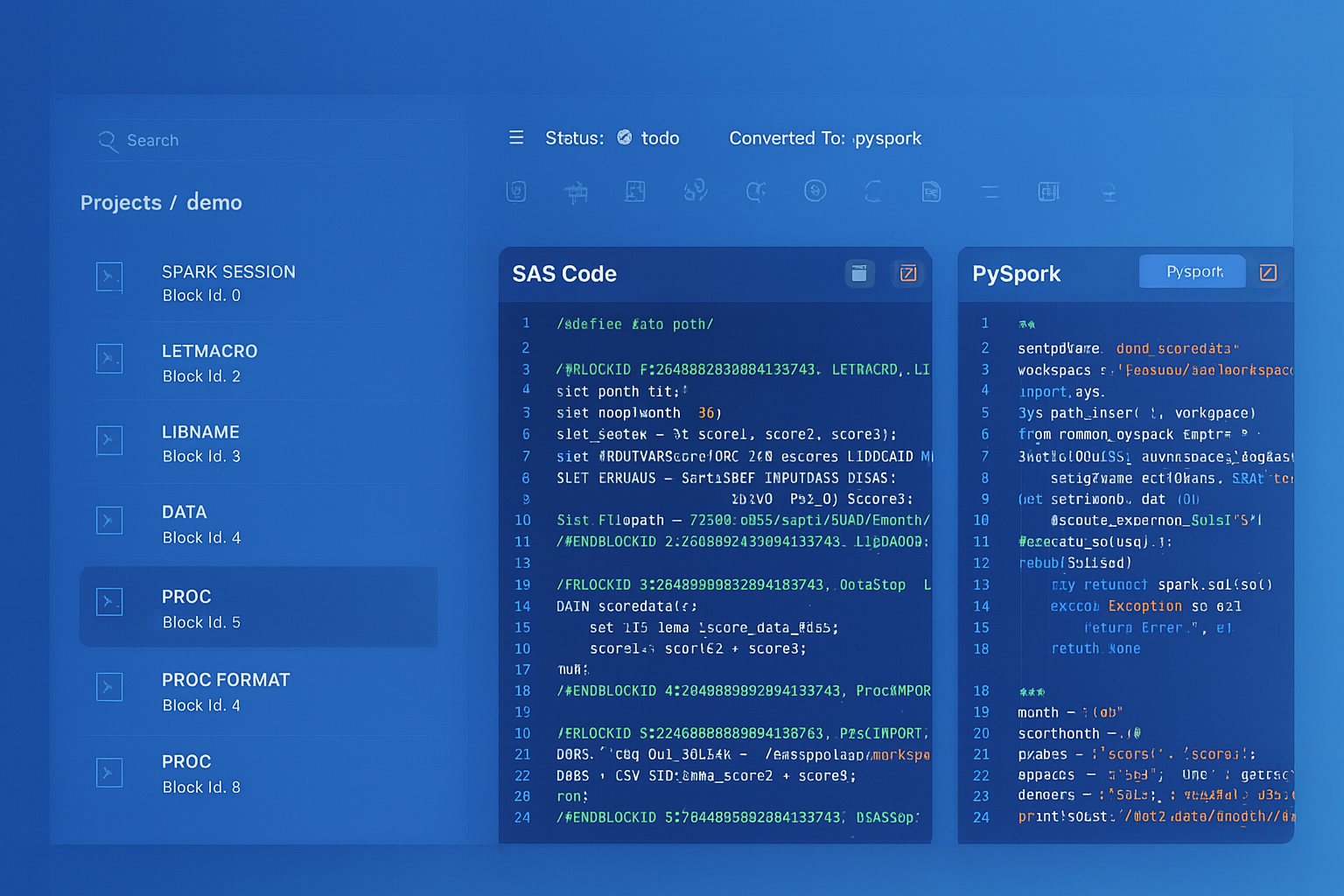
From parsed legacy code to production-ready modern equivalents — MigryX automates the entire conversion pipeline
From Legacy Complexity to Modern Clarity with MigryX
Legacy ETL platforms encode business logic in visual workflows, proprietary XML formats, and platform-specific constructs that are opaque to standard analysis tools. MigryX’s deep parsers crack open these proprietary formats and extract the underlying data transformations, business rules, and data flows. The result is complete transparency into what your legacy code actually does — often revealing undocumented logic that even the original developers had forgotten.
Handling Talend's Java Custom Code
One of the most challenging aspects of Talend migration is dealing with custom Java code. Talend allows developers to embed arbitrary Java code through tJavaRow, tJava, and tJavaFlex components. This code might implement business logic that has no direct SQL equivalent, call external APIs, perform complex string manipulations, or implement custom encryption routines.
BigQuery provides two mechanisms for handling custom logic: SQL UDFs and JavaScript UDFs. SQL UDFs handle most mathematical and string operations efficiently. JavaScript UDFs provide Turing-complete expressiveness for logic that cannot be expressed in SQL. For truly complex Java logic, such as calling external services or performing operations that require Java libraries, Cloud Functions triggered by Pub/Sub or Eventarc provide an execution environment that can run any language, including Java.
Consider a Talend tJavaRow that implements a custom hashing function:
// Talend tJavaRow
output_row.customer_hash = org.apache.commons.codec.digest.DigestUtils
    .sha256Hex(input_row.customer_id + "|" + input_row.email);
output_row.customer_name = input_row.customer_name.toUpperCase().trim();
output_row.signup_year = Integer.parseInt(
    input_row.signup_date.substring(0, 4));
This translates to a BigQuery SQL query with built-in functions:
SELECT
  TO_HEX(SHA256(
    CONCAT(CAST(customer_id AS STRING), '|', email)
  )) AS customer_hash,
  TRIM(UPPER(customer_name)) AS customer_name,
  EXTRACT(YEAR FROM PARSE_DATE('%Y-%m-%d', signup_date)) AS signup_year
FROM
  ${ref("raw_customers")}
File-Based Workflows: GCS as the New File System
Talend jobs frequently interact with file systems through tFileInputDelimited, tFileOutputDelimited, tFileInputExcel, and tFileList components. These components read from and write to local file systems or network shares. In a BigQuery migration, Google Cloud Storage replaces the local file system entirely, and BigQuery's native integrations with GCS eliminate the need for explicit file-reading code in most cases.
A Talend job that reads a CSV file, transforms it, and writes the output to another CSV becomes a two-step process in BigQuery: load the source CSV from GCS into a BigQuery staging table, then use a Dataform model to transform the data. If a CSV output is required, BigQuery's EXPORT DATA statement writes results directly to GCS.
-- Load from GCS (executed via bq CLI or Cloud Composer)
-- bq load --source_format=CSV --skip_leading_rows=1
--   raw_data.input_transactions gs://bucket/input/*.csv

-- Transform in Dataform
-- models/transformed_transactions.sqlx
config { type: "table", schema: "processed" }

SELECT
  transaction_id,
  PARSE_DATE('%m/%d/%Y', transaction_date_str) AS transaction_date,
  ROUND(amount * exchange_rate, 2) AS amount_usd,
  UPPER(category) AS category
FROM ${ref("input_transactions")}
WHERE amount > 0

-- Export to GCS if needed
-- EXPORT DATA OPTIONS (
--   uri = 'gs://bucket/output/transactions_*.csv',
--   format = 'CSV',
--   header = true
-- ) AS
-- SELECT * FROM processed.transformed_transactions
Error Handling and Logging Patterns
Talend provides built-in error handling through tLogCatcher, tStatCatcher, and reject links on components. These capture runtime exceptions, row-level rejections, and execution statistics. BigQuery and Dataform require a different approach to error management, leveraging BigQuery's SAFE functions, Dataform assertions, and Cloud Logging for operational monitoring.
Talend's reject links, which capture rows that fail validation or lookup, translate to BigQuery's pattern of writing rejected rows to a separate table using conditional logic:
-- models/valid_orders.sqlx
config { type: "table", schema: "clean" }

SELECT o.*
FROM ${ref("raw_orders")} o
INNER JOIN ${ref("dim_customers")} c
  ON o.customer_id = c.customer_id
WHERE o.amount > 0
  AND o.order_date IS NOT NULL

-- models/rejected_orders.sqlx
config { type: "table", schema: "audit" }

SELECT
  o.*,
  CASE
    WHEN c.customer_id IS NULL THEN 'Customer not found'
    WHEN o.amount <= 0 THEN 'Invalid amount'
    WHEN o.order_date IS NULL THEN 'Missing order date'
  END AS rejection_reason,
  CURRENT_TIMESTAMP() AS rejected_at
FROM ${ref("raw_orders")} o
LEFT JOIN ${ref("dim_customers")} c
  ON o.customer_id = c.customer_id
WHERE c.customer_id IS NULL
  OR o.amount <= 0
  OR o.order_date IS NULL
Dataform assertions replace Talend's tAssert component and provide automated data quality checks that run after each model materializes:
-- models/valid_orders.sqlx (with assertions)
config {
  type: "table",
  schema: "clean",
  assertions: {
    uniqueKey: ["order_id"],
    nonNull: ["order_id", "customer_id", "amount", "order_date"],
    rowConditions: [
      "amount > 0",
      "order_date >= '2020-01-01'"
    ]
  }
}
Migration Methodology: A Phased Approach
Migrating a Talend estate to BigQuery should follow a structured, phased methodology that minimizes risk and allows for incremental validation. The recommended approach consists of four phases: Discovery, Translation, Parallel Run, and Cutover.
Phase 1: Discovery and Inventory
The discovery phase catalogs every Talend job, identifies dependencies between jobs, maps data lineage from source to target, and classifies jobs by complexity. This inventory becomes the migration backlog. Jobs are typically classified into three tiers: simple jobs (linear flows with standard components), medium jobs (tMap with multiple lookups and context-driven logic), and complex jobs (custom Java code, iterative patterns, and external API calls). Simple jobs can often be migrated automatically, medium jobs require guided conversion with manual review, and complex jobs demand hands-on re-engineering.
Phase 2: Translation
During translation, each Talend job is converted to its BigQuery equivalent. Simple jobs become Dataform SQLX models. Orchestration logic becomes Cloud Composer DAGs. Context variable configurations become Dataform environment settings. File-based inputs and outputs are rerouted through GCS. This phase is where automated tooling provides the greatest leverage, converting hundreds of standard component patterns in hours rather than weeks.
Phase 3: Parallel Run
The parallel run phase executes both the original Talend jobs and the new BigQuery pipelines simultaneously, comparing outputs to validate correctness. BigQuery's snapshot and time-travel capabilities make comparison straightforward: load the Talend output into a BigQuery comparison table and run automated diff queries. Dataform assertions and BigQuery's EXCEPT DISTINCT operator can identify row-level discrepancies across millions of records in seconds.
Phase 4: Cutover
Once parallel run validation confirms parity, the cutover phase decommissions Talend jobs and routes all data flows through the BigQuery pipeline. This should be done incrementally, cutting over one pipeline at a time rather than performing a big-bang migration. Cloud Composer's ability to trigger Dataform workflows makes it possible to maintain the same scheduling cadence that existed in the Talend environment.
How MigryX Automates Talend-to-BigQuery Migration
MigryX provides a purpose-built Talend parser that reads .item files directly, extracting the complete component graph, tMap configurations, context variables, and job dependencies. The parser understands Talend's EMF serialization format and can process entire workspace directories containing hundreds of jobs in minutes.
MigryX Talend Parser Capabilities
- Complete .item parsing: Extracts all component configurations, including nested tMap expressions, filter predicates, and aggregation definitions
- Automatic SQL generation: Converts tMap join logic, tFilterRow predicates, and tAggregateRow definitions to BigQuery-compatible SQL
- Dataform SQLX output: Generates ready-to-deploy SQLX models with proper ref() dependencies and config blocks
- Context variable mapping: Translates Talend context groups to Dataform compilation variables and environment configurations
- Lineage preservation: Maps source-to-target data lineage from Talend's visual flows to Dataform's dependency graph, integrated with MigryX Atlas
- Cloud Composer DAG generation: Creates Airflow DAGs that replicate Talend job scheduling and dependency chains
- Joblet and Subjob support: Converts reusable Joblet patterns to Dataform macros and Subjob orchestration to Composer task groups
MigryX's Merlin AI engine handles the edge cases that rule-based converters miss. When a tJavaRow contains custom business logic, Merlin analyzes the Java code, identifies the semantic intent, and generates an equivalent BigQuery SQL expression or JavaScript UDF. When a tMap uses complex variable expressions with nested function calls, Merlin decomposes the expression tree and rebuilds it using BigQuery's function library. The combination of deterministic parsing and AI-assisted translation delivers conversion rates above 90% for typical Talend estates, with the remaining cases flagged for manual review with detailed context about what needs human attention.
The result is a migration that compresses months of manual effort into weeks of automated conversion, validation, and deployment. Organizations retain the business logic encoded in their Talend jobs while gaining the performance, scalability, and operational simplicity of BigQuery's serverless platform.
Why MigryX Is the Only Platform That Handles This Migration
The challenges described throughout this article are exactly what MigryX was built to solve. Here is how MigryX transforms this process:
- Deep AST parsing: MigryX’s custom-built parsers achieve 95% accuracy on every supported legacy technology — not through approximation, but through true semantic understanding.
- Merlin AI augmentation: Where deterministic parsing reaches its limit, Merlin AI resolves ambiguities and implicit behaviors, pushing accuracy to 99%.
- Complete coverage: MigryX supports 25+ source technologies including SAS, Informatica, DataStage, SSIS, Alteryx, Talend, ODI, Teradata, and Oracle PL/SQL.
- End-to-end automation: From parsing to conversion to validation — MigryX automates the entire pipeline, not just one step.
MigryX combines precision AST parsing with Merlin AI to deliver 99% accurate, production-ready migration — turning what used to be a multi-year manual effort into a streamlined, validated process. See it in action.
Ready to Migrate Your Talend Jobs to BigQuery?
MigryX parses your Talend .item files and generates production-ready Dataform SQLX models and Cloud Composer DAGs. See it in action with your own jobs.
Schedule a Demo